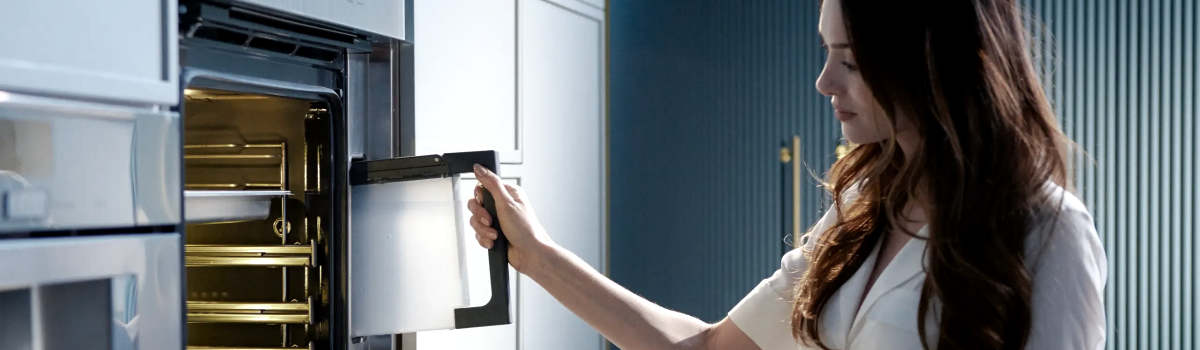
Thermador ovens are celebrated for their precision, durability, and high-performance cooking capabilities, but even the most advanced appliances can experience technical issues. One such issue is the appearance of Error Code E224 or E226. These codes are directly related to the lower oven door switch and lower oven door latch switch. When these components are not in agreement, your oven may not operate properly, and the appliance may display an error to prevent damage or unsafe operation.
Understanding what these error codes mean, why they occur, and how to address them can save you time, prevent further damage, and ensure your Thermador oven continues performing at its best.
Understanding the E224 and E226 Error Codes
The E224 and E226 error codes indicate a disagreement between the lower oven door switch and the lower oven door latch switch. Essentially, the oven detects that the door latch is not in sync with the door switch, which can interfere with safety features and proper oven operation.
When these components fail to communicate correctly, you may notice issues such as:
- The oven failing to heat
- Oven lights not functioning properly
- The appliance refusing to start or completing cycles incorrectly
This type of error is important to address promptly because continuing to operate the oven while these components are misaligned can affect safety mechanisms and reduce the oven’s lifespan.
Common Causes of E224 and E226
Several factors can trigger these error codes. Understanding the root cause helps in choosing the right solution:
- Loose or Damaged Wiring: Over time, wires connected to the door switch or latch may become loose or frayed, causing miscommunication.
- Faulty Lower Oven Door Switch: If the switch fails to register the door’s position correctly, the oven may display an error.
- Worn or Damaged Latch Assembly: A latch that does not engage properly can trigger a disagreement with the switch.
- Electronic Oven Control Board Malfunction: In rare cases, the control board that interprets the switch and latch signals may be faulty.
Knowing the cause is key to determining whether you can fix the issue yourself or need professional repair.
DIY Steps to Resolve E224 and E226
Many E224 or E226 errors can be resolved at home with careful inspection and some basic troubleshooting. Always disconnect power to the oven before performing any checks or repairs to prevent electric shock.
Start by inspecting the wire harness connections on both the lower oven door switch and latch. Look for loose, frayed, or damaged wires and secure any loose connectors. Replacing damaged wiring is essential to restore proper communication between components.
Next, check the lower oven door switch itself. Test whether it controls the oven light or reacts properly when the door is opened and closed. If the switch does not respond as expected, replacement is usually necessary.
If the switch is functioning correctly but the error persists, examine the lower oven door latch assembly. Misalignment or wear can prevent proper engagement with the switch. Replacing the latch assembly often resolves the error entirely.
In some situations, if all physical components are functioning correctly, the electronic oven control board may be the root cause. Replacement of the control board should be considered a last resort, as it is a more complex and expensive repair.
Real-Life Examples of E224 and E226 Errors
Many Thermador oven owners encounter these errors in everyday use. For instance, one user reported repeated E224 errors after accidentally jamming the door with a thick oven mitt. Once the latch and switch were inspected and cleaned, the error cleared.
In another case, E226 errors were traced to a frayed wire behind the lower oven door switch. Replacing the wire harness eliminated the problem entirely.
These examples show that most errors are due to wear, minor damage, or loose connections, which can often be addressed without professional help.
Preventive Measures for Thermador Oven Door Errors
Preventing E224 and E226 errors is easier than fixing them after they occur. Follow these simple maintenance practices:
- Inspect Wiring Periodically: Check wire harnesses for wear or looseness every few months.
- Keep the Latch Clean and Lubricated: Dust, grease, or debris can prevent proper engagement.
- Avoid Slamming the Oven Door: Gentle operation prolongs the life of the door switch and latch.
- Routine Oven Check-Ups: Schedule inspections to catch wear on switches or latches before errors occur.
Regular attention to these areas ensures your oven continues operating safely and reduces the risk of future error codes.
When to Call a Professional
While many E224 and E226 errors can be resolved with DIY inspection and replacement of simple components, persistent errors or recurring problems should be handled by a professional technician. Experts can:
- Accurately diagnose whether the issue is with the switch, latch, or control board
- Replace components with genuine Thermador parts
- Test the oven for safe and consistent operation
Calling a professional ensures long-term reliability and prevents additional damage caused by improper DIY repairs.
Conclusion
Thermador Oven Error Codes E224 and E226 signal a disagreement between the lower oven door switch and latch switch. Addressing these errors promptly ensures proper oven function and safety. Many issues can be resolved with careful inspection, tightening or replacing wiring, and replacing worn switches or latches. Preventive maintenance, including regular inspections and gentle door operation, reduces the likelihood of encountering these errors in the future.
By understanding the causes, applying DIY fixes when safe, and following preventive practices, you can maintain your Thermador oven’s performance and enjoy precise, reliable cooking without interruptions.