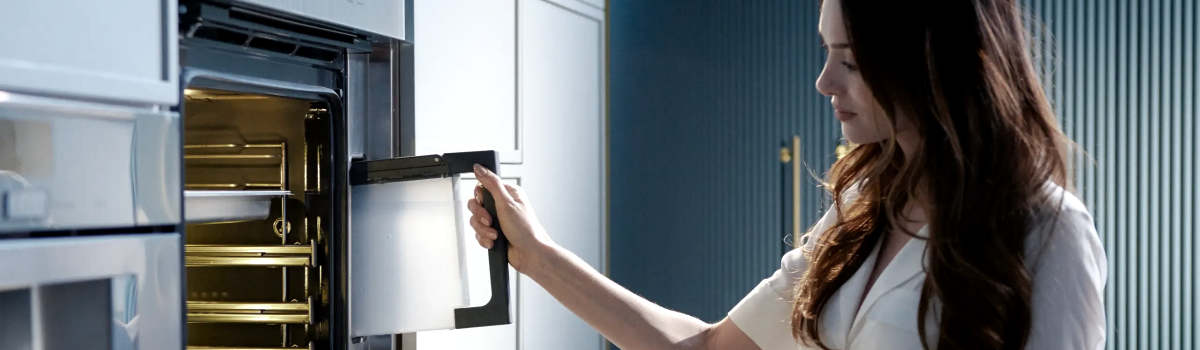
Modern Thermador ovens are engineered for precision and performance, delivering consistent heat and professional-quality cooking results. Despite their reliability, these advanced ovens can occasionally display error codes. One such code is E118, which indicates an issue with the upper oven cooling fan. Understanding what triggers this error and how to address it can prevent further complications and ensure your oven continues to operate efficiently.
What Is the E118 Error?
The E118 error specifically points to a problem with the upper oven cooling fan or its associated components, such as the hall sensor, also called the tachometer. The cooling fan is essential for regulating the oven’s internal temperature, preventing overheating, and protecting sensitive electronics.
When the oven detects that the fan is not operating properly or that the hall sensor is sending incorrect readings, it triggers the E118 error. Ignoring this error can affect cooking performance, lead to uneven heating, and in some cases, damage the oven’s electronics.
Common Causes of E118
Understanding the underlying causes helps diagnose and prevent the error. Typical reasons for an E118 error include:
- Loose or Disconnected Wires: The wiring connecting the upper oven cooling fan and the hall sensor may become loose or disconnected over time.
- Damaged Wiring or Connectors: Heat exposure or accidental movement can damage wires, causing intermittent or complete failure.
- Faulty Upper Oven Cooling Fan: Mechanical failure in the fan prevents it from operating at the required speed.
- Hall Sensor Malfunction: If the fan is working but the sensor fails to report rotation correctly, the oven interprets this as a fan fault.
These factors highlight the importance of inspecting both the mechanical and electrical components when troubleshooting E118.
Troubleshooting and DIY Fixes
Before attempting any fixes, always disconnect your oven from electrical power to prevent injury. Once the oven is safely powered off, you can begin the inspection process.
Start by checking the wire harness connections related to the upper oven cooling fan and the hall sensor. Look for loose, disconnected, or damaged wires. Reconnect any loose connections and replace any visibly damaged wires.
Next, test the upper oven cooling fan by activating it manually if your oven allows. If the fan fails to run, it is likely defective and should be replaced.
If the fan operates correctly, the issue may lie with the hall sensor. The sensor monitors the fan’s rotation, and a faulty sensor can cause the E118 error even if the fan is functioning. In such cases, replacing the hall sensor is usually necessary.
After addressing wiring, fan, or sensor issues, reconnect the oven and run a short cycle to confirm the error has cleared. Properly addressing the root cause ensures consistent oven performance and prevents recurring errors.
Preventive Measures for E118
Regular maintenance and careful usage can help prevent E118 errors from occurring:
- Inspect Wiring Periodically: Over time, heat and vibration can loosen or damage wires. Check connections and replace worn components.
- Keep the Oven Clean: Dust and debris around the fan or sensor can interfere with operation. Periodic cleaning can reduce the risk of error codes.
- Avoid Overheating: Running the oven at extreme temperatures for extended periods can stress the fan and sensor. Follow recommended operating guidelines.
- Schedule Professional Maintenance: Periodic inspections by a qualified technician can catch early signs of wear or failure before they trigger error codes.
Proactive maintenance ensures the oven’s cooling system functions reliably and protects sensitive electronics from heat damage.
Real-Life Examples of E118 Errors
Many Thermador oven owners encounter E118 due to common scenarios:
- Loose Connections After Cleaning: Detaching panels for cleaning can inadvertently loosen fan wires, causing the error.
- Fan Wear Over Time: Mechanical parts wear out naturally. A fan that once operated smoothly may eventually fail.
- Hall Sensor Malfunction: Even a perfectly functioning fan can trigger E118 if the hall sensor fails to report rotation accurately.
These examples demonstrate that E118 errors are often straightforward to resolve if diagnosed correctly and promptly.
Why Addressing E118 Is Important
Ignoring the E118 error can affect cooking quality and oven longevity. Without proper cooling, internal components may overheat, leading to uneven cooking, electronics failure, or costly repairs. Addressing the error promptly ensures your oven continues to perform at its best.
Conclusion
The Thermador oven E118 error signals a problem with the upper oven cooling fan or its hall sensor. By inspecting wiring, testing the fan, and replacing faulty components, many users can resolve the issue quickly. Regular maintenance, careful usage, and periodic inspections prevent recurring E118 errors and help maintain consistent oven performance.
Understanding the causes and solutions for E118 empowers Thermador oven owners to address the error safely, keep their appliances in top condition, and enjoy reliable, professional-quality cooking results.