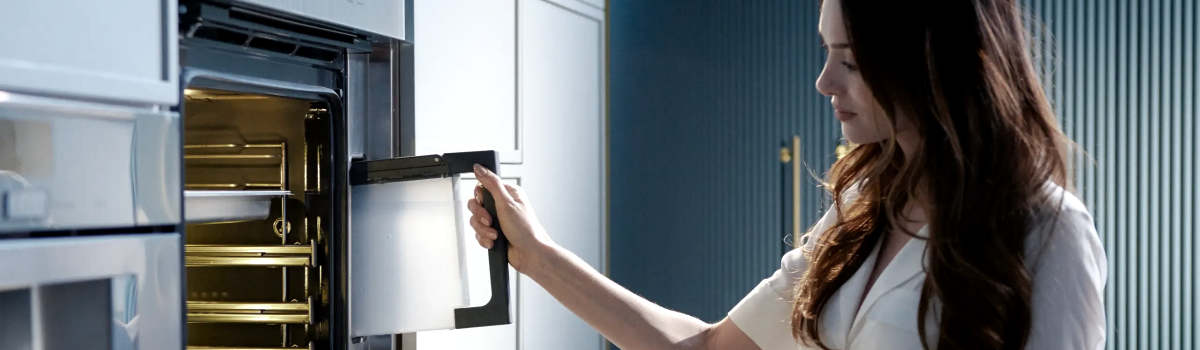
Thermador ovens are widely known for their precision, durability, and reliability. However, even the most sophisticated appliances can occasionally display error codes that require attention. One of the common errors that Thermador oven users encounter is Error Code E106, which typically indicates a problem with the upper oven door latch not locking properly. This error can disrupt cooking routines, prevent the oven from heating, and cause frustration if not addressed promptly.
Understanding what triggers the E106 error, how to troubleshoot it safely, and preventive measures you can take is essential for maintaining optimal oven performance.
What Does Error Code E106 Mean?
Error Code E106 signals that the upper oven door latch is not locking correctly. Thermador ovens are equipped with safety mechanisms that prevent the oven from operating when the door is not securely latched. This ensures both safety and optimal cooking performance.
A malfunctioning door latch can prevent the oven from completing self-cleaning cycles, compromise heat retention during baking, and in some cases, make the oven completely unresponsive. Recognizing the E106 error early allows you to take action before the problem escalates.
Common Causes of the E106 Error
Several factors can trigger the E106 code in Thermador ovens:
- Loose or Damaged Wire Harness: The electrical connections to the upper oven door latch can become loose or worn over time. Vibrations during regular use can slowly disconnect wires.
- Faulty Door Latch Assembly: The latch itself may wear out or fail mechanically, preventing it from engaging properly.
- Obstructions: Small debris or misaligned components can block the latch from locking.
- Control Board Issues: In rare cases, the electronic oven control board may incorrectly detect a latch problem even when the latch functions properly.
Understanding the root cause is key to applying the correct solution.
DIY Troubleshooting and Fixes
Many E106 errors can be resolved with careful inspection and basic DIY techniques. Always disconnect electrical power to the oven before attempting any repairs to avoid the risk of electric shock.
Start by inspecting the wire harness connections to the upper oven door latch. Look for loose, frayed, or disconnected wires. Reconnect any loose wires securely and replace damaged wiring as necessary. Ensuring proper electrical connections often resolves the error.
Next, examine the door latch assembly itself. Check for signs of mechanical wear, misalignment, or obstructions. If the latch appears damaged or does not engage correctly, it should be replaced. In most Thermador models, the latch assembly can be replaced without professional tools, although following the oven manual instructions carefully is recommended.
After addressing wiring and the latch, test the oven by closing the door and initiating a heating cycle. If the E106 error persists, the issue may lie with the electronic control board, which may require replacement or professional diagnostics.
Preventive Tips to Avoid E106 Errors
Preventing E106 errors can save time and protect your oven’s longevity. Regular maintenance and mindful usage play a significant role:
- Inspect Door Latch Regularly: Periodically check the latch for proper engagement and smooth operation.
- Keep the Door Area Clean: Ensure that debris, crumbs, or grease do not obstruct the latch mechanism.
- Check Wiring Connections: Occasionally inspect the wire harness for wear or looseness.
- Avoid Slamming the Door: Gentle use reduces mechanical stress on the latch and prevents loosening of connections.
- Professional Maintenance: Scheduling periodic maintenance ensures that both mechanical and electronic components remain in good condition.
Real-Life Scenarios of E106 Errors
Thermador oven owners often encounter E106 due to common usage patterns. For example, repeated slamming of the oven door over several years can loosen wires or stress the latch mechanism. Homes with pets or children may find debris accumulating around the latch, causing intermittent locking issues.
In other cases, owners have noticed that self-cleaning cycles trigger E106 because the latch does not engage fully under heat expansion. Addressing these small issues proactively can prevent repeated error codes and maintain consistent oven performance.
When to Call a Professional
Although many E106 errors can be resolved through basic inspection and latch replacement, persistent issues or electronic faults may require professional assistance. Technicians can:
- Accurately diagnose whether the control board is misreading the latch
- Replace or repair wiring harnesses and latch assemblies efficiently
- Ensure the oven operates safely and reliably
Calling a professional is especially important if the error persists after DIY troubleshooting or if other symptoms, such as inconsistent heating or unresponsive controls, accompany the E106 code.
Conclusion
The Thermador oven E106 error indicates that the upper oven door latch is not locking properly, a safety mechanism designed to prevent improper operation. Most issues stem from loose wiring, a faulty latch assembly, or occasional obstructions. By performing careful inspections, reconnecting wires, replacing damaged components, and maintaining the latch area regularly, many users can resolve E106 errors themselves.
Proactive preventive measures, such as gentle door usage, regular cleaning, and scheduled maintenance, not only prevent E106 from recurring but also extend the lifespan of your Thermador oven. Understanding the causes and solutions for E106 ensures that your oven continues to provide reliable performance for all your cooking and baking needs.